The complete journey
From a thought or conversation to work you can actually use.
Jooba connects five stages that normally live in five different places. Here is exactly what happens between pressing record and sending a document.
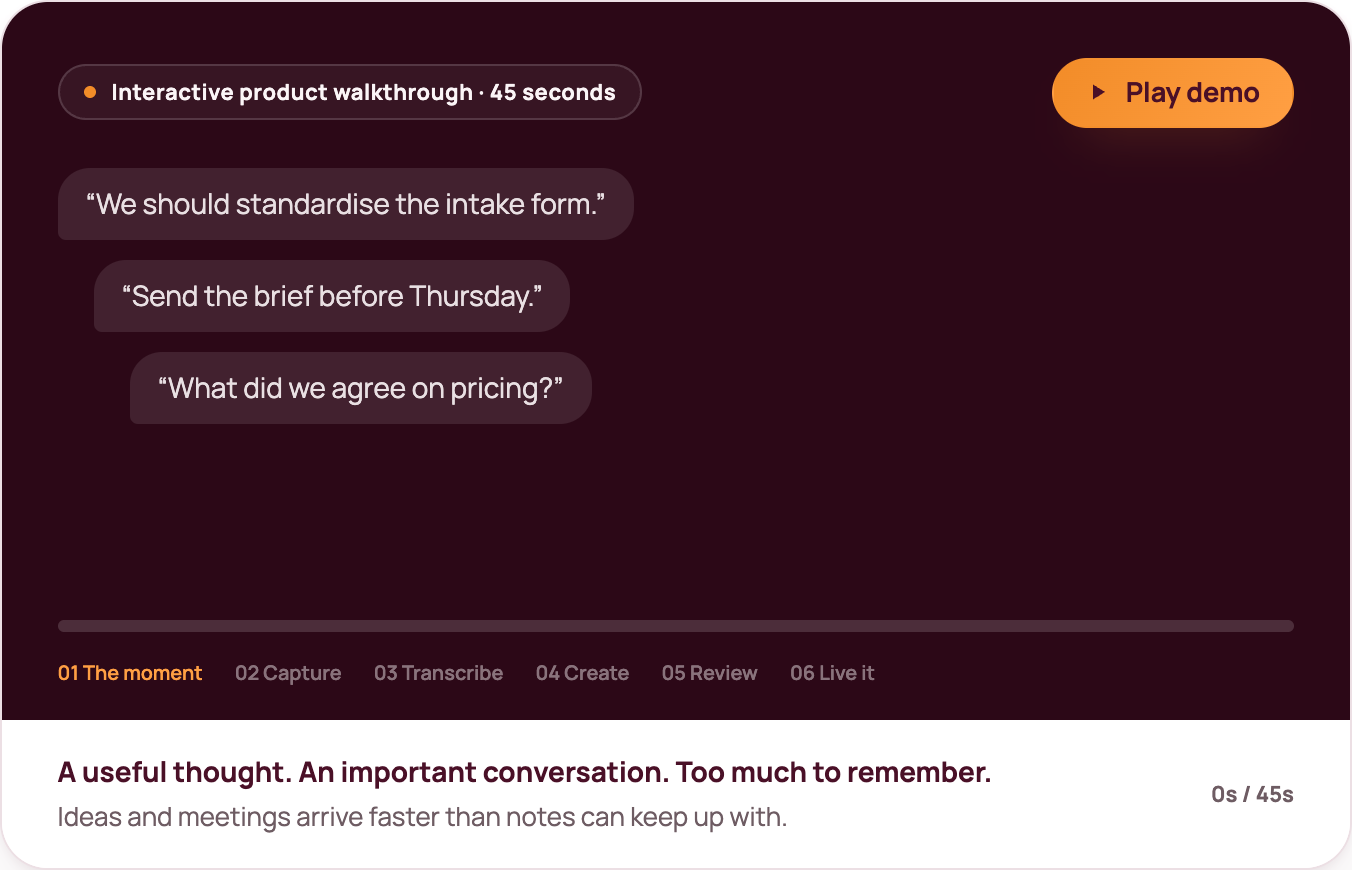
Capture
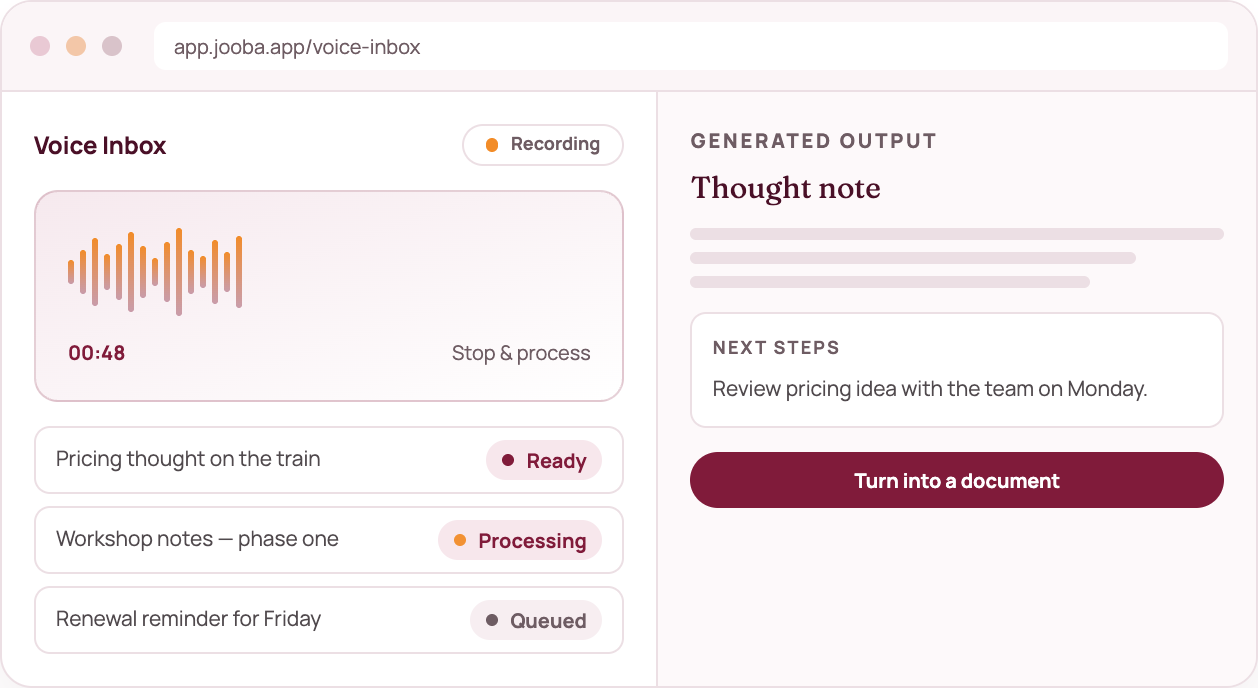
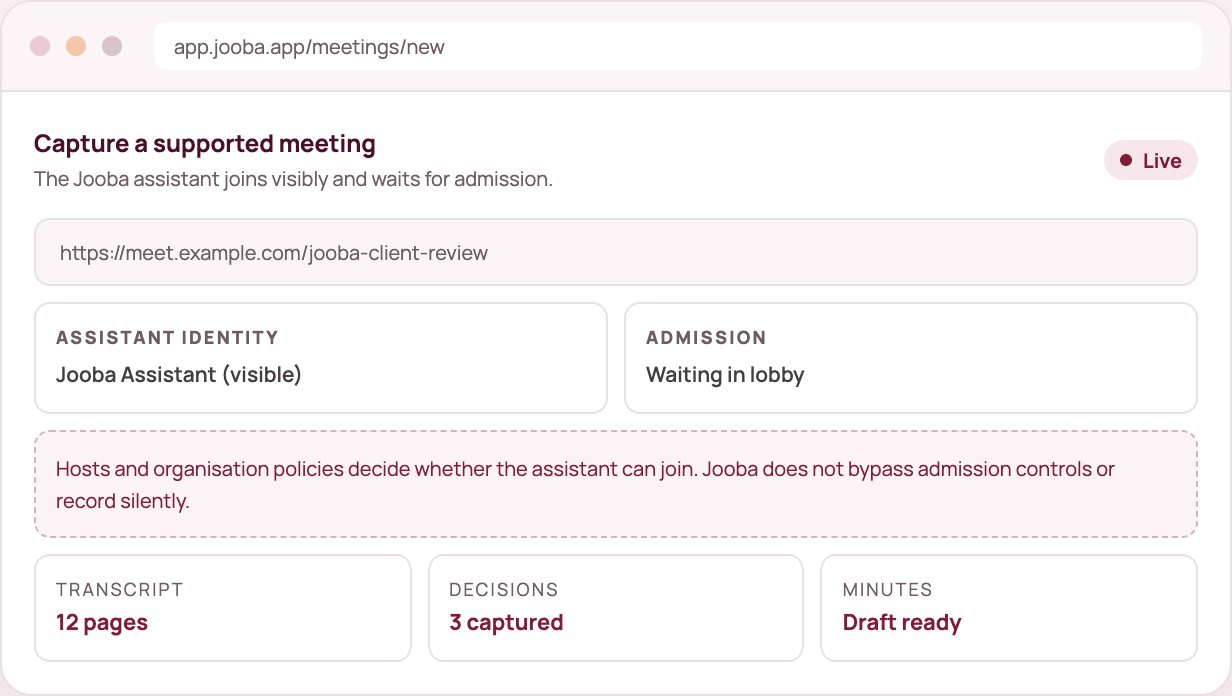
Record a thought in your browser, upload an existing recording or capture a supported online meeting with the visible Jooba assistant. Capture is deliberately easy — the value is in what happens next.
- Browser voice recording
- Audio upload
- Supported meeting capture
- Paste notes if you would rather type
Transcribe
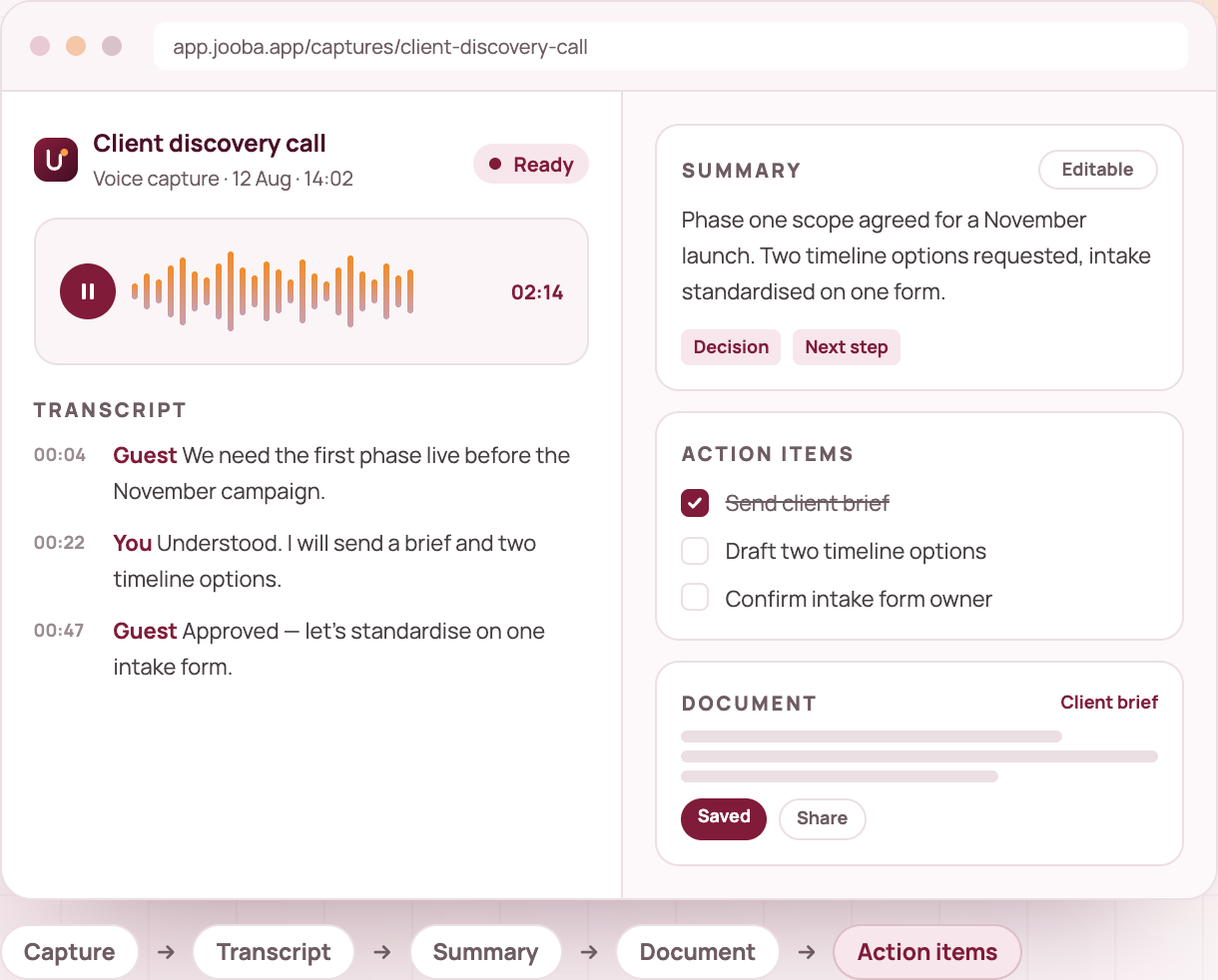
Audio becomes a readable, speaker-labelled record with timestamps. You can follow the processing status and review the transcript before building anything on top of it.
- Speaker labels and timestamps
- Visible queued / processing / ready states
- Editable transcript
Understand
Jooba drafts a summary and pulls out decisions, commitments and possible next steps. This is the step that turns a long recording into something you can scan in thirty seconds.
- Summary in plain language
- Decisions captured separately
- Suggested actions you can edit
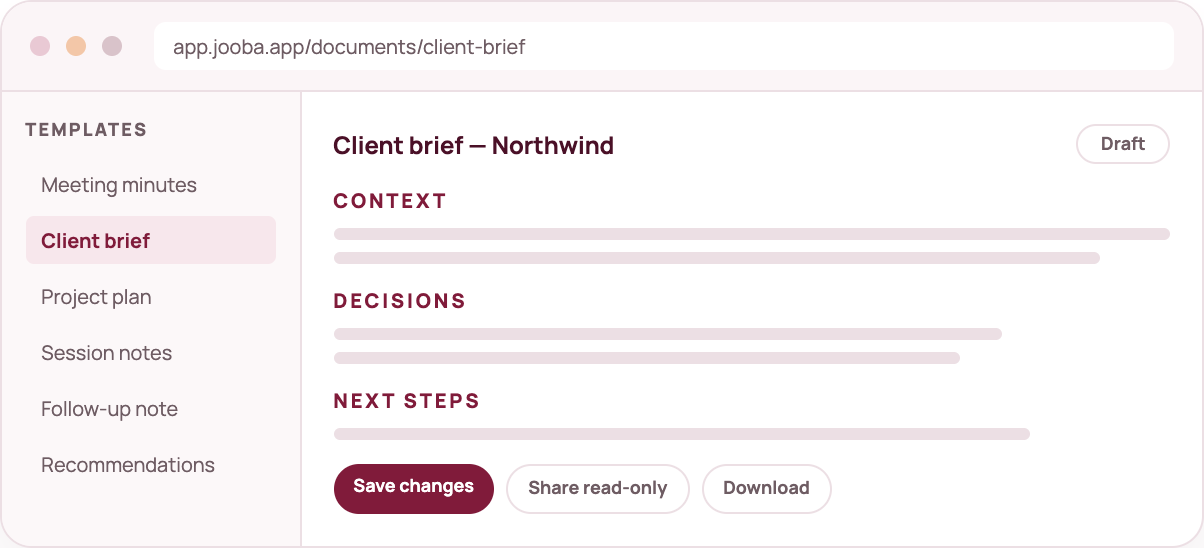
Create
Choose the purpose and Jooba drafts a document around it: minutes, a client brief, a project plan, session notes, a follow-up or structured recommendations.
- Eight meeting-note formats plus six document templates
- Editable drafts, never locked output
- Context preserved from the original capture
Review and follow through
Edit the wording, tick off the actions, save it to your library and share a read-only link if it needs to leave your workspace. The record stays attached to the conversation.
- Save and reopen documents
- Share a read-only document (never the audio)
- Search the whole library
A useful result, not a tour
Your first workflow should finish in minutes.
When you sign up, Jooba asks one question: what would you like to do first? The answer takes you straight to the right screen — no mandatory tutorial and no empty dashboard.
1. Choose an intent
Record a thought, capture a meeting, upload audio or create a document.
2. Complete the capture
Add your audio or notes. Processing status is visible the whole way.
3. Use the result
Edit the transcript, generate a document, tick off actions and save.
Frequently asked
What exactly does Jooba do?
Jooba captures thoughts, audio and online meetings, turns them into a transcript and summary, and helps you build editable documents with clear next steps.
Is Jooba just another meeting notetaker?
No. Meeting capture is one input. Voice Inbox, templates, editable documents and search are what make the record useful afterwards.
How much does it cost?
Jooba is free to start. Paid plans begin at £15 a month with a 14-day trial, and you can cancel at any time.
What happens to my audio?
Audio is processed to produce your transcript and retained for up to 14 days. Transcripts and documents stay in your library until you delete them.
Can Jooba join any meeting?
Jooba captures Google Meet, Microsoft Teams and Zoom meetings. The assistant is visible and joins when the host admits it.
Which account providers are supported?
You can sign up with your email address in seconds. Google and Microsoft single sign-on are available on request for teams.
Think it. Say it. Get it done.
Capture what matters and turn it into something useful — starting today.