Daily capture

Not everything important happens in a meeting.

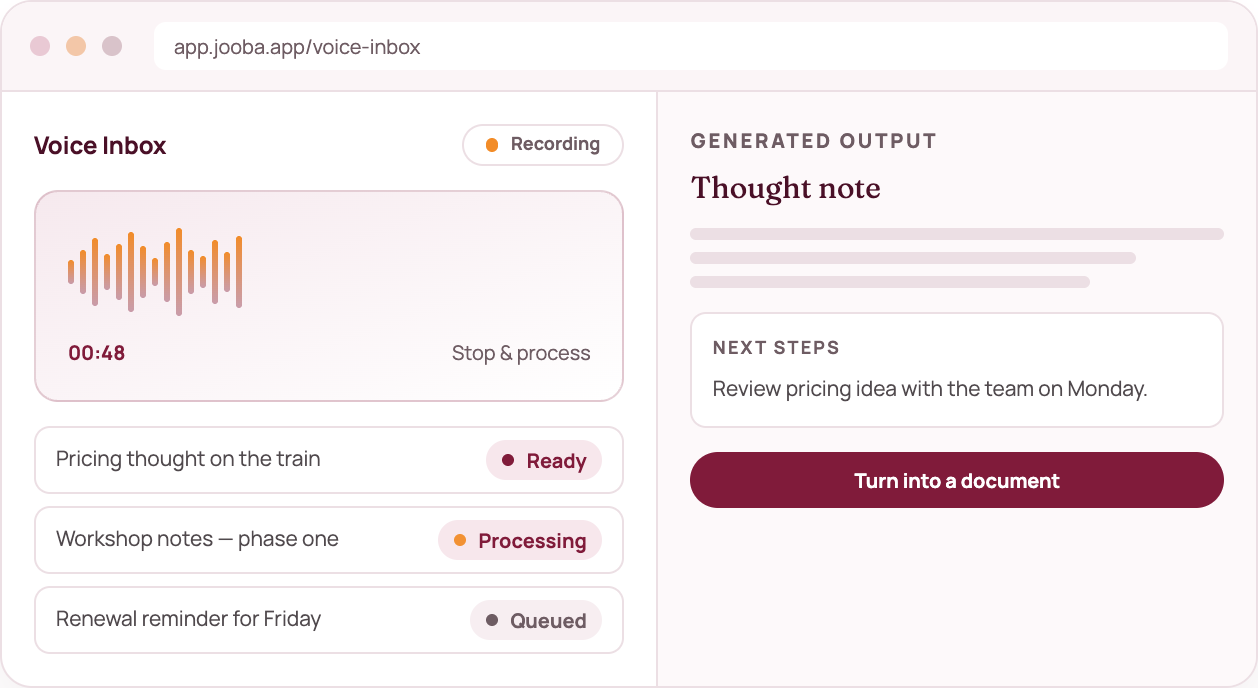
Sometimes the most useful thing you can do is capture a thought before you forget it. Voice Inbox gives you a place to record or upload audio and turn it into something organised and useful.

What you get

The detail behind the screen

✓ Record in the browser

Speak for as long as you need. Dictation can drop straight into the note while you talk.

✓ Upload existing audio

Bring a recording you already have and start from there.

✓ Follow the processing

Clear status for queued, processing and ready captures so you are never guessing.

✓ Turn it into a record

Transcript, summary, decisions and suggested actions — then a document if you need one.

mock voice

The connected path

Where this sits in the workflow

01

Capture

A voice note about a client, a plan or a decision.

02

Transcribe

Audio becomes readable text you can check.

03

Organise

Jooba drafts a summary and highlights commitments.

04

Use it

Create a note, brief or follow-up while the context is fresh.

Built to be trusted

Voice Inbox handles browser recording and uploaded audio. Everything it produces is yours to edit, export or delete.

Questions about voice inbox

Still deciding? See what is included in each plan or start free and run one capture.

Included in every planProduct of MedulaWorks Limited
Do I need a microphone?

For recording, yes. You can also upload audio or paste notes into the composer if you prefer typing.

How long can a recording be?

Voice notes and short meetings are the sweet spot. Longer recordings work too — they simply take a little longer to process.

Can I edit the transcript?

Yes. Transcripts, summaries and suggested actions are all editable from the capture screen.
Keep exploring

MeetingBot

Conversation intelligence

Work and life, together